Nexonic Download Manager
A free, open-source download manager and video downloader for Mac, Windows, Linux and Android, with up to 256 connections, resume, torrents, a scheduler and browser extensions.
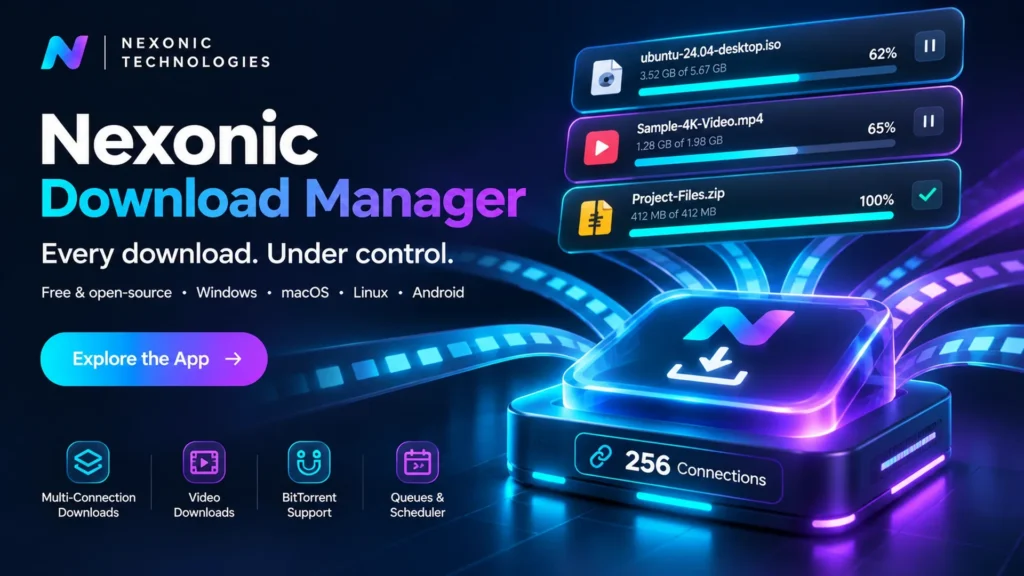
Nexonic Download Manager (NDM) is our flagship open-source product: a free download manager and video downloader built natively for Mac, Windows, Linux and Android, with an iPhone and iPad app in testing. It splits every file into parts that download at the same time, resumes after a restart, saves videos from 1,000+ sites and works hand in hand with your browser. No account, no ads, no tracking.
- 256connections per file
- 1,000+video sites, up to 4K/8K
- 4platforms, plus iPhone & iPad
- 110languages, 15 of them reviewed
Latest release: version 0.36.0 (17 November 2026). Download links always fetch the newest release from GitHub, and every file is listed with its SHA-256 on the release page.
What’s new in 0.36 and 0.35
- Android pop-up for shared linksShare a link to Nexonic from YouTube, Instagram, Chrome or any app and the download window opens right over that app. Pick the quality, tap Download and carry on.
- Faster automatic connectionsNexonic opens more connections sooner and respects servers that ask it to wait. A server limiting each connection to 1 MB/s now finishes 17% faster (4.13 s → 3.44 s).
- Phone remote on MacScan a code with your phone on the same Wi-Fi to see, add, stop, resume and remove downloads, as on Windows and Linux.
- Quiet hours on MacNo completion sounds during the hours you choose, such as 22:00–07:00.
- Whole Facebook pages on WindowsDownload all now reads a full Facebook page in the background, not just the latest posts.
- Keep in Sync (0.34)Right-click a finished download and Nexonic re-checks it hourly, daily or weekly, downloading again only when the file changed.
Download for every platform
- WindowsWindows 10 and 11, 64-bit, plus Windows 11 on Arm. The installer adds the
ndmcommand. Installer · Portable .zip · Arm - MacmacOS 13 or later, one universal app for Apple silicon and Intel that updates itself. .dmg · .zip · Homebrew cask
- LinuxAny 64-bit distribution, Intel/AMD and ARM, GNOME and KDE, X11 and Wayland. AppImage · ARM · .deb / .rpm · Linux guide
- AndroidAndroid 10 or later, phones and tablets, signed and on the same version as desktop. .apk · 32-bit
- Browser extensionChrome, Edge, Brave, Opera and Firefox (signed by Mozilla), in the same 110 languages as the apps. Install the app first. Chrome · Firefox
- iPhone & iPadIn testing, not on the App Store yet. Share any link to Download with Nexonic; files land in the Files app. Details
Install on a Mac with one Terminal command: curl -fsSL https://shahrukhalid.github.io/nexonic-download-manager/install.sh | bash, or with Homebrew: brew tap shahrukhalid/nexonic https://github.com/Shahrukhalid/nexonic-download-manager then brew install --cask nexonic-download-manager.
Everything you expect from a download manager
- Faster downloadsEach file downloads in parts at once. Connections start at 4 and double while the speed keeps rising, up to 256.
- Pause and resumeContinue later, even after quitting or restarting. A file that changed on the server is downloaded again, never mixed up.
- Refresh expired linksRight-click, Refresh Link, paste a fresh link and it carries on where it stopped.
- Video downloadsYouTube, Instagram, Facebook, X, TikTok, Vimeo and 1,000+ sites, in the quality you pick or sound only.
- Download allOn an Instagram, TikTok or Facebook profile or page, one click finds every photo and video in the background.
- Playlists and Media LibraryPick videos from a playlist or channel, keep subtitles, and browse finished media with previews.
- Keep in SyncRe-check finished files on a schedule and download them again only when they changed on the server.
- Import Download ListBring your list from another download manager, with referrers, cookies, mirrors and checksums kept.
- Phone remoteManage downloads from your phone over Wi-Fi on Mac, Windows and Linux. Off by default.
- Torrents everywhereMagnet links and .torrent files on every platform, with seeds, peers, trackers and pieces. Off until you turn it on.
- Scheduler and queuesStart a queue at night, stop it in the morning, then quit, sleep or shut down when done.
- Batch, grabber and clipboardNumbered series like img[001-100].jpg, every file linked from a page, or links you copy.
- Mirrors and checksumsMirrors or Metalink with the fastest source per part; bad mirrors are dropped and checksums verified.
- Browser integrationClick a download in your browser and a compact window shows name, size, category and folder.
- cURL in and outPaste a browser’s Copy as cURL to keep cookies and login, or copy any download as cURL.
- Play while downloadingStart a video or song in your player once the first few MB arrive.
- Video toolsSave as MP4 or sound only without losing quality, keep thumbnails and cut sponsor segments.
- Encrypted DNSDNS over HTTPS or TLS with a strict mode, plus each server’s country, HTTP version and speed.
- RSS and debridFeed rules with size limits and preferred quality, and torrents sent to your own debrid account.
- Speed limiter and actionsLimit all downloads or just one, then open the file, show the folder, sleep or shut down.
- Command lineAdd downloads from scripts with
ndm <link>, including queues, folders and limits. - Drop targetA small floating window: drop a link or .torrent on it to start. Mac, Windows and Linux.
- Rename and notifyRename by pattern like {site} {date} {name} and get a phone notification when done.
- 110 languagesEvery app speaks 110 languages. 15 are reviewed by people: English, Arabic, Chinese (Simplified and Traditional), French, German, Hindi, Indonesian, Japanese, Korean, Portuguese, Russian, Spanish, Turkish and Urdu; the rest are marked machine translations.
Up and running in a minute
- Install the appDownload it for Mac, Windows or Linux and open it once, so it can register with your browsers.
- Add the extensionAdd it to Chrome, Edge, Brave, Opera or Firefox. It takes about 30 seconds.
- Click any downloadClick a link or Download this video, pick the folder or quality and press Start Download.
The extension hands each link to the app with its cookies and referrer, so downloads from sites where you are signed in just work. Each download gets its own progress window with speed, time left, a live graph and the progress of every connection.
Nexonic on Android
A native Android app with the same download engine as the desktop apps.
- Pop-up downloadsShare a link from any app and the download window opens on top of it, so you never leave what you were doing.
- Videos from 1,000+ sitesShare or paste a link and pick the quality, up to 4K, or sound only.
- Built-in browserDownloads open the Nexonic window, long-press any link or image, and Found on this page lists media.
- Fast and resumableUp to 256 connections, resume after a restart, retries and refreshed links.
- Battery-friendlyDownload only while charging, pause on low battery, plus a home-screen widget.
- Runs in the backgroundNotification controls, queues, a daily scheduler, Wi-Fi only and a speed limit.
Quick guide
| To | Do this |
|---|---|
| Download a link | Add URL (⌘N / Ctrl+N), paste one or more links, Start Download |
| Save a video | Point at the video → Download this video, or paste the page link into Add URL |
| Download at night | Scheduler → New Queue → set the time → add downloads with Download Later |
| Keep a file up to date | Right-click a finished download → Keep in Sync → choose how often |
| Continue an expired download | Right-click → Refresh Link… and paste a fresh link |
| Download a numbered series | Batch → write the link once with a pattern, e.g. file[01-50].jpg |
| Use the command line | ndm https://example.com/file.zip --queue Night |
| Stop or resume everything | ⇧⌘P stop all · ⇧⌘R resume all (Ctrl on Windows) |
Private and secure by design
- No account, no trackingThe app only connects to what you download from, and to GitHub for updates and its video engine.
- Secrets stay privateCookies and passwords are readable only by your user on Mac and encrypted for your user on Windows.
- Sent only where they belongLogins go only to the download’s own server, never to other hosts or from https to http.
- Verified updatesAn update installs only if it matches the SHA-256 published with the release.
Open source
NDM is open source under the MIT or Apache-2.0 licence, built with Swift and SwiftUI on Mac and C# and WPF on Windows, and built and tested in public on GitHub. It stays free for everyone.
Only download what you have the right to save, and respect each site’s terms. Copy-protected services are not supported.
Ready to grow with a digital partner?
Tell us about your business. We will reply with honest advice and a clear plan.