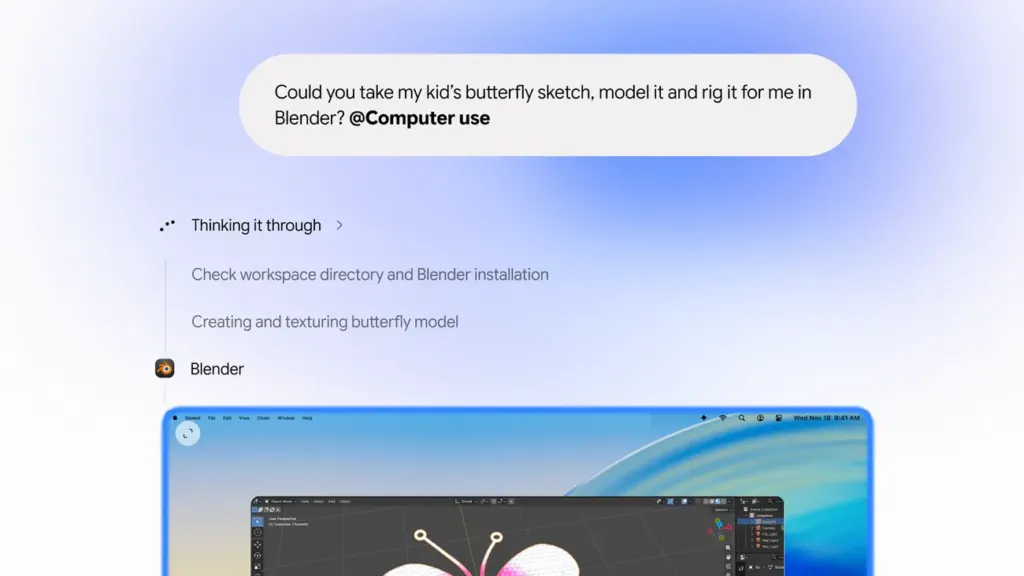
Google’s Gemini app for Mac can now work through repetitive tasks on its own. According to Google’s announcement on November 19, 2026, Gemini computer use on Mac lets the app click, type and fill in forms across your files, desktop apps and the web.
The catch for now: the rollout is limited. Details on who gets it first are below.
The short version
- Google says the feature automates multi-step jobs across local files, desktop apps and websites, based on a plain-English description from you.
- Per Engadget, the same capability has been available to PC users for a while. The Mac app is catching up.
- Gemini works in an isolated background window, so your screen and cursor stay free.
- You pick which apps it can use, and you can pause it at any time.
- Google says it rolls out in English in the U.S. Neowin’s feed summary adds that it’s on paid Google AI plans.
- Canada isn’t mentioned in the sources we have.
What Gemini computer use does on a Mac
Engadget says the feature lets Gemini see what’s on your screen through screenshots. It can then click, type, scroll and move around programs and websites for you.
Google’s own examples are fairly practical:
- Batch-listing items for sale: analyze clothing photos in a local folder, research prices, log item details and stage listings on resale platforms. Engadget names eBay as one example.
- Filling out forms: pull weights, dimensions and addresses from local PDFs to complete multi-box shipping quotes.
- Building decks: gather metrics and screenshots from live dashboards across regions and assemble a Google Slides presentation.
- Creative work: batch color-grade photos in design software or set up complex 3D scenes. Engadget also cites turning a pencil sketch into a 3D model.
For small sellers and office workers, that’s the pitch: fewer dozens-of-clicks chores.
Permissions: what Gemini can touch and how you stay in charge
Google says you choose which apps Gemini can access, watch a live preview in your chat, pause whenever you like and approve key actions before they happen. Engadget likewise reports that Gemini only reaches apps you’ve given it access to.
One small wording gap: one section of Google’s post says you approve “every action,” while another says “key actions.” The sources don’t spell out which steps count as key, so don’t assume everything will pause for a confirmation.
We also can’t give you a menu path for switching it on or off. The notes don’t include one. What Google does say is that you download the app at gemini.google/mac, and that app access and pausing are in your hands. Check the app’s own settings for the exact controls.
For the broader permissions picture, see our earlier piece, Before Gemini Takes Over Your Mac Apps, Know What It Can Touch.
Who gets it and what’s unclear
Google says computer use is rolling out in English in the U.S. Neowin’s feed summary says it’s on paid Google AI plans. Google’s post, as we have it, doesn’t mention plan requirements, so treat that as one outlet’s reporting until you see it in your own account.
Also unconfirmed: any date for other languages or countries, and how reliably it handles messy real-world tasks. The sources describe features, not test results, and we haven’t tested it.
What happens next
Analysis: Based on the notes, this looks like a catch-up move for Mac users rather than a brand-new capability. If you try it, start with a low-stakes job, like a form you can check by eye, and keep app access narrow. Whether Google widens the rollout beyond the U.S. is the thing to watch.
Sources
- Google Boosts Gemini's Ability To Do 'Repetitive Tasks' On Its Mac App (engadget.com)
- Automate Mac tasks with Gemini computer use (blog.google)
- Gemini app for Mac can now handle your repetitive multi-step tasks (neowin.net)
This article was researched and drafted with AI assistance and reviewed against the linked sources by the Nexonic editorial team.



Join the conversation